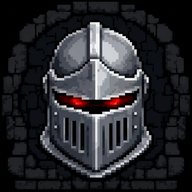
Barony Crossplay Guide: Play With Friends on Any Platform
Discover how Barony crossplay works across PC and Nintendo Switch. Learn how to set up multiplayer, connect with friends, and survive the dungeon together.
What Is Barony Crossplay and Why Does It Matter?
If you’ve ever tried to coordinate a gaming session with friends who own different platforms, you know the frustration. You want to play together, but the game won’t let you because of an invisible wall between PC and console. That’s where Barony crossplay changes everything. This first-person roguelike RPG, developed by Turning Wheel Games, lets you team up with friends regardless of whether they’re on Windows, Mac, Linux, or Nintendo Switch.
Barony is a challenging dungeon crawler inspired by classic roguelikes like Nethack, but with real-time action and cooperative play. The game supports up to four players in a party, and thanks to its crossplay functionality, you can finally form that dream team without worrying about platform restrictions. According to the official game website, "Windows, Mac & PC players can play with one another using Direct-IP or Crossplay. Nintendo Switch players can join in with Crossplay too!"
This guide covers everything you need to know about Barony crossplay, including how to set it up, what platforms are supported, and tips for surviving the dungeon with friends. Whether you’re a seasoned adventurer or a newcomer, understanding crossplay is essential for maximizing your multiplayer experience.
How Barony Crossplay Works: Platforms and Requirements
Supported Platforms for Crossplay
Barony’s crossplay feature bridges the gap between PC and Nintendo Switch. Here’s a breakdown of what works:
| Platform | Crossplay Support | Notes |
|---|---|---|
| Windows (Steam, Epic, GOG) | Yes | Full crossplay with Mac, Linux, and Switch |
| Mac (Steam, GOG) | Yes | Full crossplay with Windows, Linux, and Switch |
| Linux (Steam, GOG) | Yes | Full crossplay with Windows, Mac, and Switch |
| Nintendo Switch | Yes | Crossplay with all PC platforms via online play |
| Xbox | No | Not currently supported |
| PlayStation | No | Not currently supported |
Requirements for Crossplay
To use Barony crossplay, you need a few things in place:
- A copy of Barony on any supported platform (Steam, Epic Games Store, GOG, Humble Bundle, or Nintendo eShop)
- An internet connection for online multiplayer
- A free Turning Wheel Games account or direct IP connection (for PC-to-PC)
- Nintendo Switch Online subscription (for Switch players)
- Gamepads if playing split-screen on the same system (player 1 can use keyboard and mouse on PC)
The official site confirms that "same-system split-screen and cross-platform multiplayer for up to four players all platforms" is supported. For Switch, you can also use the wireless play feature to connect multiple Switch consoles locally.
Setting Up Barony Crossplay: Step-by-Step Guide
Getting started with Barony crossplay is straightforward, but there are a few methods depending on your setup. Here’s how to connect with friends across platforms.
Method 1: Using the In-Game Crossplay System
This is the easiest way to play with friends on different platforms.
- Launch Barony and go to the main menu.
- Select "Multiplayer" from the options.
- Choose "Online" and then "Crossplay".
- Create a lobby or join an existing one using a lobby code.
- Share the lobby code with your friends (they enter it on their end).
- Once everyone is in, select your classes and start the dungeon.
Method 2: Direct IP Connection (PC Only)
If you’re playing with friends on PC but want a direct connection:
- Host a game and note your public IP address.
- Share your IP with friends (they enter it in the Direct IP field).
- Ensure port forwarding is set up on your router (port 12345 by default).
- Friends connect directly to your game.
Method 3: Nintendo Switch Wireless Play
For Switch-to-Switch local play:
- Each player needs a Nintendo Switch and a copy of Barony.
- From the main menu, select "Wireless Play".
- One player hosts the game, others join via local wireless.
- This works for up to four players without an internet connection.
Crossplay Connection Troubleshooting Table
| Issue | Possible Cause | Solution |
|---|---|---|
| Can’t find lobby | Network firewall | Open ports or disable firewall temporarily |
| Connection timeout | Slow internet | Check speeds; use wired connection |
| Switch can’t join PC lobby | NAT type mismatch | Enable UPnP on router |
| Direct IP fails | Incorrect IP | Use a service like whatismyip.com to verify |
| Crossplay option missing | Outdated game version | Update to latest patch |
Why Barony Crossplay Enhances the Roguelike Experience
Cooperative Survival in a Procedural Dungeon
Barony’s core gameplay revolves around surviving a procedurally generated dungeon filled with monsters, traps, and secrets. With Barony crossplay, you can bring friends along for the ride, which changes the entire dynamic. Instead of solo permadeath, you have a party that can revive each other, combine abilities, and strategize against tougher enemies.
The game features 13 RPG classes, each with unique skills. For example, a Warrior can tank damage while a Wizard casts area-of-effect spells. Crossplay lets you mix and match classes across platforms, so your PC friend can play a Cleric while your Switch friend plays a Rogue. This variety keeps each run fresh.
Overcoming the Difficulty Together
Barony is notoriously difficult. The official trailer humorously lists ways to die: "vomit on your friends, die of poisoning, get smashed by a boulder, meet the devil, face off against a lich, starve to death, teleported to lava." With crossplay, you can laugh at these deaths together rather than alone. Community reports from Barony forums highlight that coordinated teams survive longer and reach deeper dungeon levels.
Unlimited Replayability
Because levels are procedural and permadeath is permanent, no two runs are alike. Crossplay multiplies this replayability. You can try different party compositions, experiment with strategies, and chase hundreds of achievements. The official site notes that Barony offers "near unlimited level variety" and "hundreds of achievements" to unlock.
Tips for Maximizing Your Barony Crossplay Sessions
Communication is Key
Without good communication, even a crossplay party can fall apart. Use voice chat (Discord, in-game, or Switch voice) to coordinate. Call out traps, share resources, and warn about enemies. Many players use a dedicated Discord server for their group.
Class Synergy Table
| Class | Role | Best Paired With |
|---|---|---|
| Warrior | Tank/Melee | Cleric, Wizard |
| Wizard | Ranged DPS | Warrior, Rogue |
| Cleric | Healer/Buffer | Any class |
| Rogue | Stealth/Debuff | Wizard, Warrior |
| Monk | Balanced | Cleric, Rogue |
| Necromancer | Summoner | Warrior, Cleric |
Resource Sharing
In Barony, resources like food, potions, and equipment are scarce. With crossplay, you can share items between players. For example, if one player finds a healing potion, they can drop it for a wounded teammate. This cooperative element is essential for survival.
Save Your Game
Barony does not have traditional saves—permadeath means you start over when you die. However, you can quit mid-session and resume if you’re the host. Make sure your party knows this to avoid frustration.
Use the DLC for More Options
The Deserters & Disciples DLC adds new classes and items, which can be used in crossplay. If you own the DLC, your friends can still play with you even if they don’t own it, though they won’t have access to the new classes. The Instruments of Destruction free update also adds content for all players.
Frequently Asked Questions About Barony Crossplay
Does Barony crossplay work between Steam and Nintendo Switch?
Yes. According to the official game website, "Nintendo Switch players can join in with Crossplay too!" You can play with friends on Steam, Epic Games Store, GOG, or Humble Bundle regardless of which PC platform they use.
Do I need a Nintendo Switch Online subscription for crossplay?
Yes, if you’re playing on Nintendo Switch. The Switch requires an active Nintendo Switch Online subscription for online multiplayer, including crossplay. Local wireless play does not require a subscription.
Can I play crossplay between Mac and Windows?
Absolutely. Barony supports crossplay across all PC platforms, including Windows, Mac, and Linux. You can use the in-game crossplay system or Direct IP connection.
Is Barony crossplay free?
The crossplay feature itself is free—you just need to own the game on your respective platform. There are no additional fees for using crossplay. However, as mentioned, Switch players need a Nintendo Switch Online subscription for online play.
Final Thoughts: Should You Use Barony Crossplay?
If you have friends on different platforms and want to experience one of the best cooperative roguelikes available, Barony crossplay is a must-use feature. It’s easy to set up, works reliably across PC and Switch, and enhances the game’s replayability and fun. The developers at Turning Wheel Games have done an excellent job ensuring that platform barriers don’t stop you from adventuring together.
Whether you’re dodging boulders, mixing potions, or facing the Baron himself, crossplay makes Barony a truly social experience. Gather your party, choose your classes, and dive into the dungeon. Just remember: you will die—but at least you’ll die together.
For more information, visit the official Barony website or check out the game on Steam.
Related Guides
Barony How to Play Multiplayer: A Complete Co-Op Guide
Learn Barony how to play multiplayer with this complete co-op guide. Covers max players, lobby setup, class synergy, and tips for surviving the mines with friends.
Barony How to Save Multiplayer: The Complete Guide
Learn exactly how to save your progress in Barony multiplayer. Discover the permadeath rules, loading saves, and tips to avoid losing your co-op run.
Barony Local Co-Op Guide: Master the Dungeon Together
Discover how to set up and master Barony local co-op. This guide covers splitscreen layouts, class synergy, and tips for surviving the Devil's Bastion with friends.
Barony Multiplayer Guide: Surviving the Dungeon with Friends
Discover how Barony multiplayer turns a brutal roguelike into a hilarious co-op adventure. Tips for surviving dungeons with friends await!